What you get from a vendor on JobTill
JobTill is software for the cleaning and maintenance businesses you hire. It isn't something you have to buy. These are the things it lets your vendor send you. Some are settings your vendor switches on, so ask for them by name.
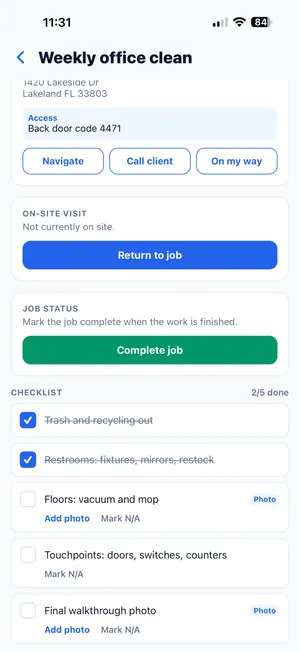
Photos on each checklist item
Your vendor's crew takes the photos on the job, and each photo goes on the checklist item it proves: the floors, the restrooms, the final walkthrough. You're not looking at a loose camera roll.
When your vendor makes photos required, the crew can't close the job until every required photo is in. The office can override, but it has to write down why, and the reason stays on the job.
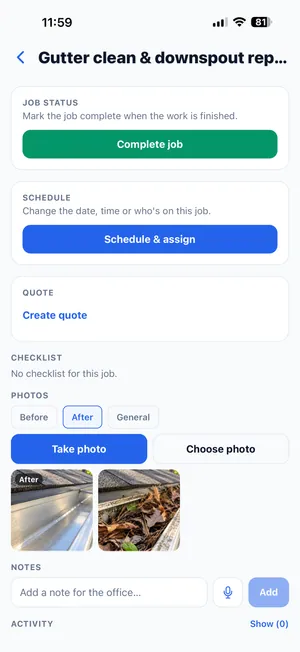
These screens are the crew's phone. You see the photos through the reports below.
Completion and inspection reports, with photos
Completion reports. When your vendor turns them on, you get a branded report with photos when the job's done.
Inspection reports. Your vendor can run site inspections with a checklist, photos for every finding, and a report at the end. You see the inspection report in your portal.
Both are settings on your vendor's side. Ask for them.
- A report with photos when the job's done (completion reports)
- Photos for every inspection finding
- The inspection report in your portal
- A branded report from your vendor
One monthly invoice, checked before it's sent
Recurring work rolls into one invoice per client per month, and your vendor reviews it before it goes out. For recurring work, your accounts payable gets one bill a month, not one per visit.
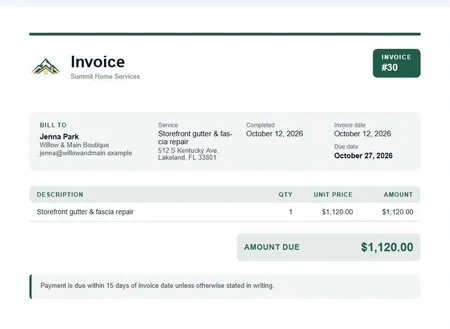
You see your vendor's business name and colors on quotes and invoices, with their logo on the invoice.
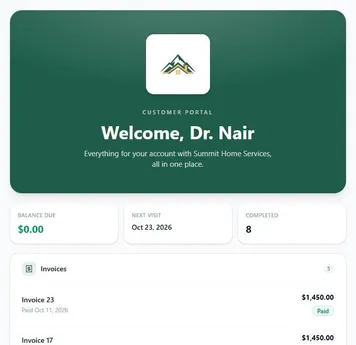
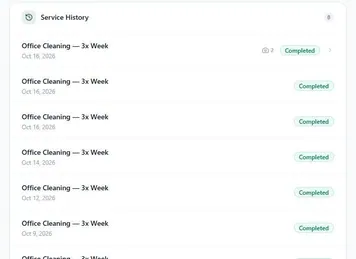
A portal for invoices, visit history and reports
You see your invoices, visit history and reports in one place, and approve add-ons, without calling your vendor.
When the crew finds extra work on site, they add it in the field and you approve it before they do it.